Gear
Gear is PlayMate's equipment manager — list what you own (rackets, balls, nets, bibs), keep it in one inventory, and claim items on any game or lobby so everyone knows who's bringing what.
Manager → Gear
Your gear inventory#
Open the Manager tab and switch to Gear to see your personal inventory — everything you've listed, with its sport and condition. It starts empty, and fills up as you add items.
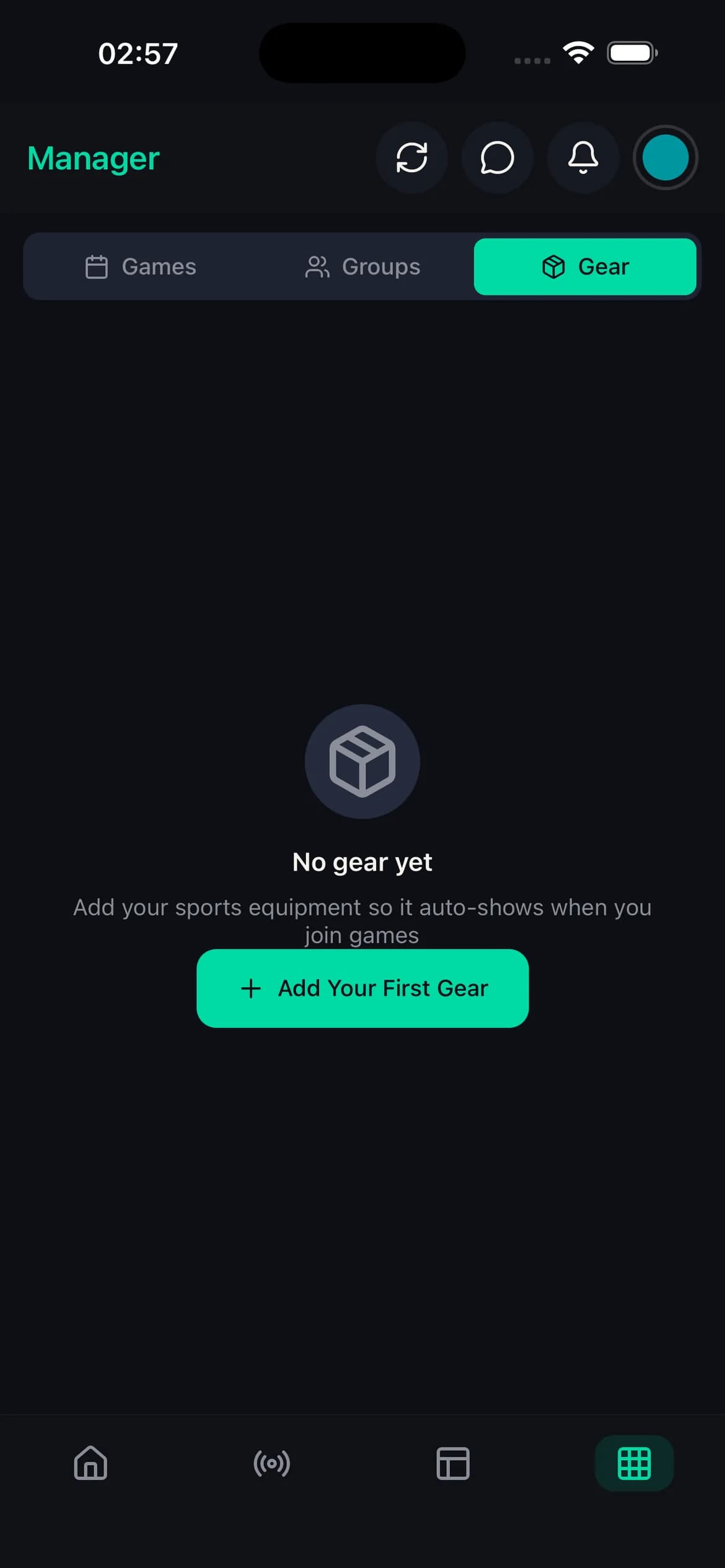
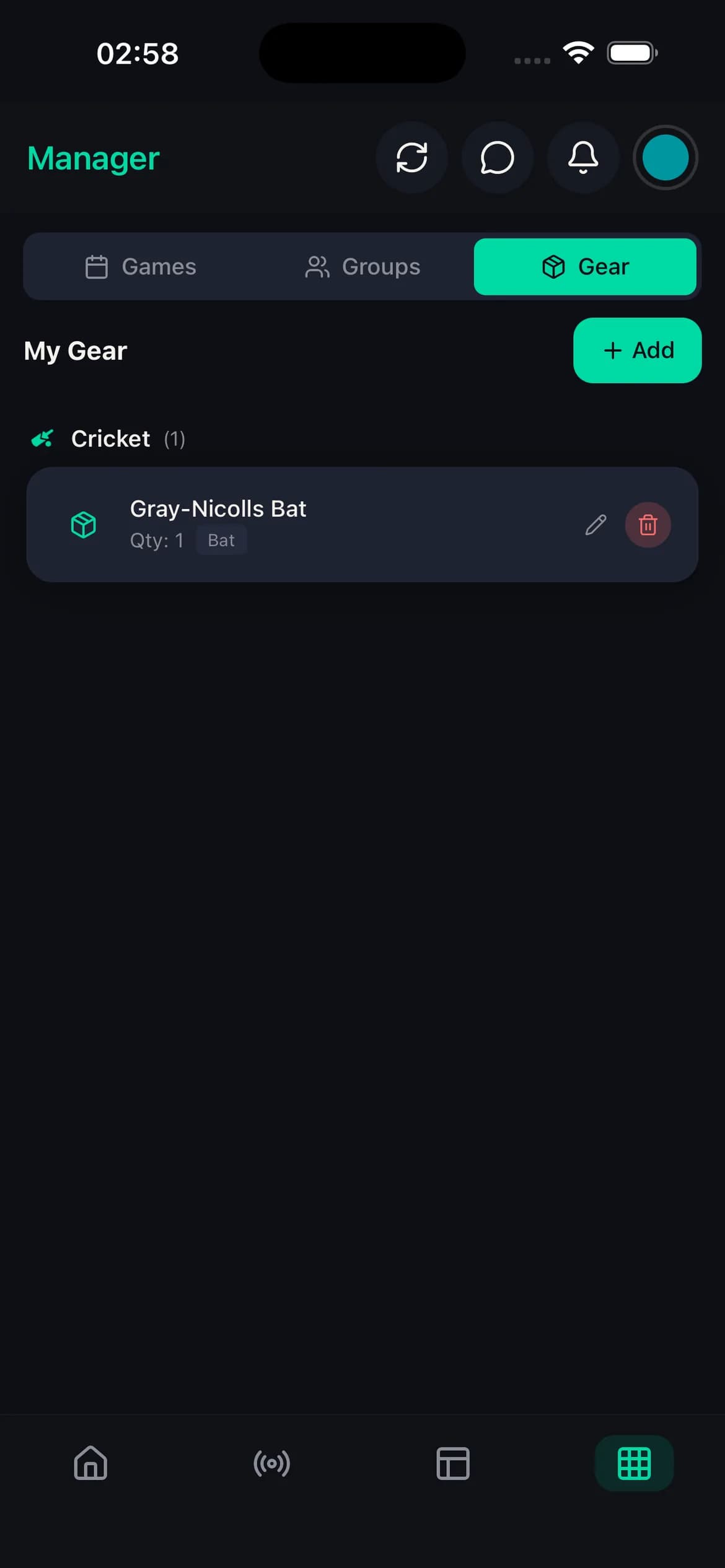
- 1
Tap + Add in the Gear tab.
- 2
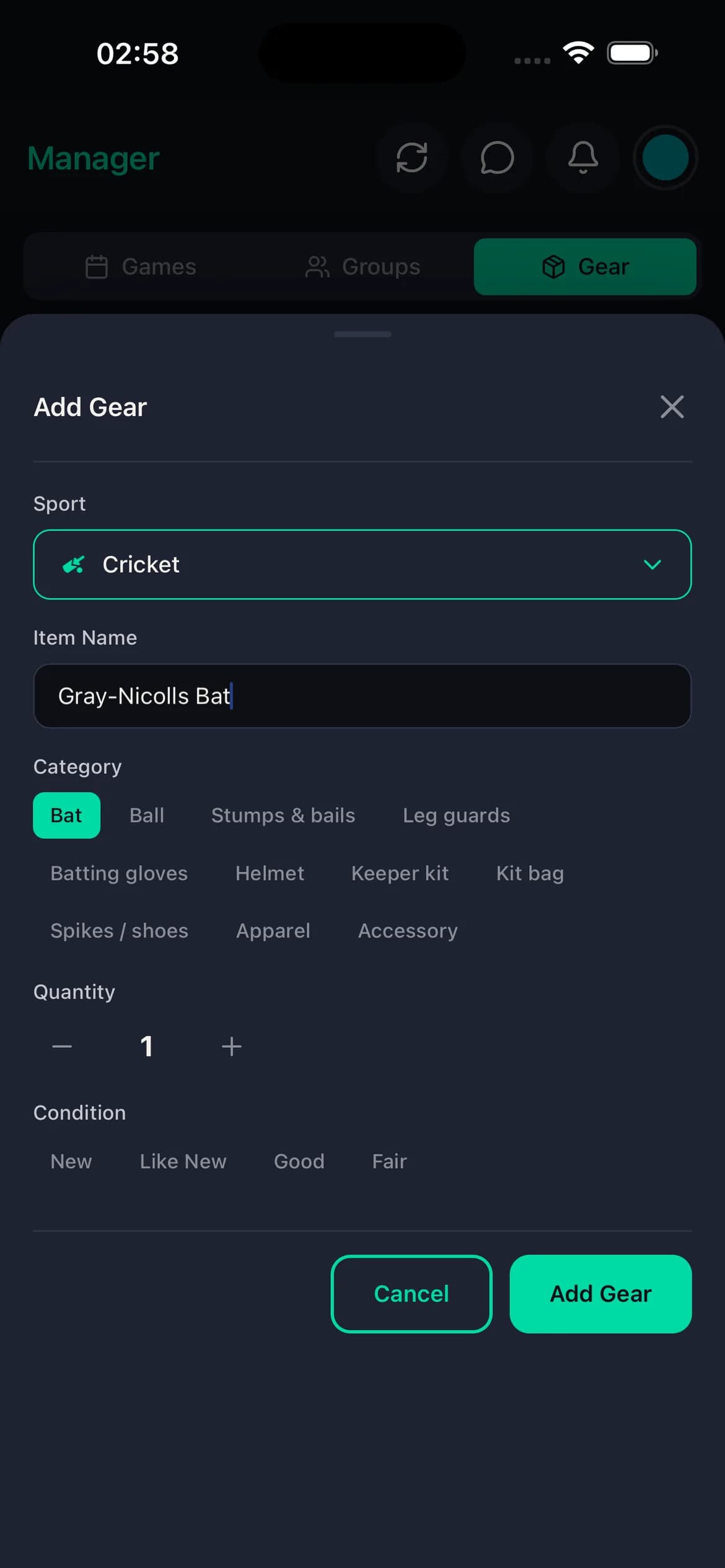
Pick the sport the item belongs to.
- 3
Name it and describe it.
Brand or model (e.g. “Yonex Nanoflare”), color, category — racket, ball, net, bibs, shoes, accessory — quantity, and condition (New, Like New, Good, Fair). - 4
Tap Add Gear — it lands in your inventory instantly.
Every game, group, and Quick Game lobby has its own Gear tab. It lists what the session needs — and lets you claim an item with one tap, so the crew never shows up with five balls and no net.
- Open the game, group, or lobby and switch to its Gear tab.
- Tap an item to claim it — your name marks it as handled.
- Organizers can add the items a session needs ahead of time.
Borrow instead of buy
See something on a game's gear list you don't own? Ask in the game chat — players claim gear for each other all the time. It's half the reason the list exists.